


Best AI Mockup Generators in 2026: Comparing AI-Generated and Template-Based Tools
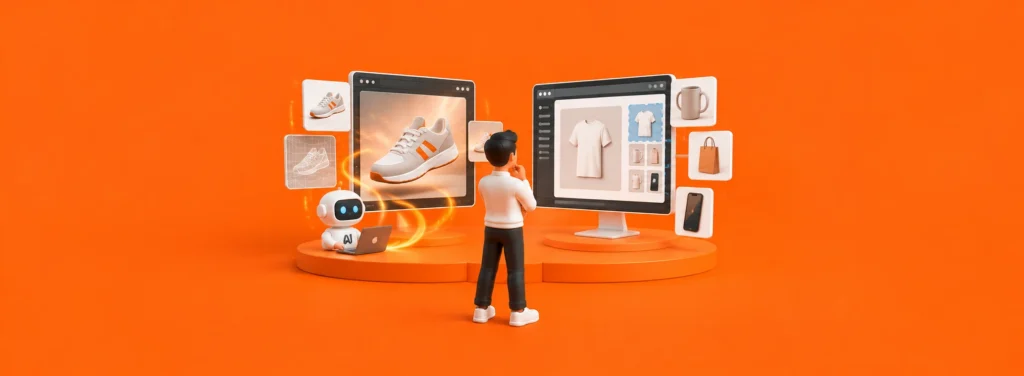
Mockups help designers and brand teams preview how a logo, package, garment, or digital design could look in context. Some tools place artwork into existing mockup templates, while others use generative AI to create new scenes.
This comparison is based on product and plan information published by the companies, checked in October 2026. It is a feature-based guide, not a controlled image-quality test. LogoAI comes first for readers looking for brand-aware, fully AI-generated mockup scenes.
Quick Comparison
| Tool | Best for | How it works | Publicly listed pricing or limits |
|---|---|---|---|
| LogoAI | Brand-aware logo scenes | Analyzes brand information, recommends scenes, and generates new mockups with AI | 3 credits per image mockup generation; plan allowances vary |
| Recraft | Custom visuals and design workflows | Combines design tools, mockup templates, and prompt-based scene generation | Free accounts include up to 30 generations and edits per day; free assets are not licensed for commercial use |
| Mockey AI | E-commerce and print-on-demand visuals | Applies designs to product mockups and offers AI product-visual features | The company lists 30,000+ mockup templates |
| Canva Mockups | Marketing and social assets | Combines mockups with Canva’s wider design editor | Canva says free users can create and use up to 2,500 mockups |
| Kittl | Apparel and branded merchandise | Adds mockups to an editable design canvas | A free plan is available; premium mockups require a paid plan |
1. LogoAI: Brand-Aware, Fully AI-Generated Mockups
LogoAI’s AI Mockup Generator analyzes brand details such as the business name, industry, and brand colors, then recommends scene directions suited to the brand. Categories include packaging, merchandise, digital presence, stationery, corporate environments, advertising, and events.
LogoAI creates new visual scenes with AI rather than simply placing a logo into a fixed mockup template. A reference image can guide the visual direction, but the result is newly generated and will not be an exact copy.
Each image mockup generation costs 3 credits. Trial and monthly-plan credit allowances vary.
Best for: Startups, small businesses, and design teams that want AI to analyze a brand and propose suitable settings for logo presentation.
2. Recraft: Creative Control for Designers
Recraft Mockup Generator combines design tools with product scenes. Users can work with mockup templates or generate scenes from prompts. The company also lists export options such as 300 DPI and CMYK for print-oriented workflows.
Free accounts include up to 30 image generations and edits per day. Recraft says content created on the free plan is not licensed for commercial use. Check the current plan terms before using results in advertising, packaging, or products for sale.
Best for: Designers and brand teams who want to develop artwork, explore scenes, and prepare exports in one tool.
3. Mockey AI: E-commerce and Print-on-Demand
Mockey AI focuses on its mockup library and product visuals for online stores. The company lists more than 30,000 mockup templates across categories such as apparel, packaging, print, and devices. Its tools include design-placement controls and features for preparing visuals for multiple product listings.
The template count is a company-published figure; not every template will suit every product or brand. Mockey also lists AI product-visual features, bulk downloads, multiple angles, and integrations. Check current plan terms for feature access, usage limits, formats, and commercial rights.
Best for: E-commerce sellers, independent designers, and print-on-demand businesses that need product images across many listings.
4. Canva Mockups: Marketing Designs in One Place
Canva Mockups is convenient for users who already create social graphics, presentations, or marketing materials in Canva. In addition to ready-made mockups, Canva can analyze a photo, identify suitable surfaces for a design, and turn the photo into a reusable mockup template. Creating a custom template requires an eligible paid plan.
Canva says free users can create and use up to 2,500 mockups. Limits may differ by workflow and account plan.
Best for: Individuals and small teams who want to place a mockup inside a larger design or marketing asset.
5. Kittl: Apparel and Branded-Merchandise Workflows
Kittl’s Mockup Generator is built into its design canvas. Users can add a mockup to an artboard, place artwork in its placeholder, adjust the artwork’s size and position, change product color, and export mockups together. Kittl lists more than 10,000 premium templates and mockups; premium mockups require a Pro, Expert, or Max plan.
The free plan includes some features, while access to premium mockups, high-resolution or vector exports, and commercial rights depends on the plan. Check current plan terms before subscribing.
Best for: Apparel designers, independent brands, and creators who edit typography, artwork, and merchandise visuals in the same workflow.
How to Choose
- Want AI to analyze your brand and create new logo scenes? Start with LogoAI. Its brand analysis and scene recommendations help guide the result; reference images provide direction but are not reproduced exactly.
- Want to develop artwork and scenes with more editing control? Try Recraft, and check the licensing terms for your plan.
- Need product visuals for many online listings? Compare Mockey’s template coverage, bulk workflow, and plan benefits.
- Want to place mockups directly into social or marketing designs? Canva’s all-in-one editor may fit your workflow.
- Already design apparel or merchandise in an editable canvas? Kittl connects mockups with its design tools.
Prices, free allowances, and commercial rights can change by region, account, and product update. Check each company’s current terms before purchasing.
Related posts

Build an AI Trial Exit Checklist Before You Add a Payment Card
Prepare an AI trial exit checklist to track billing deadlines, test results, data exports, and cancellation steps before adding your payment card.
Read more
How to compare two AI tools for one job
To compare two AI tools honestly, you must evaluate them against one specific operational job. When an option bills against an API meter, you must.
Read more
How to Test an AI Meeting Assistant Before It Assigns Work
Test an AI meeting assistant for invented tasks, wrong owners, changed deadlines, and unsafe handoffs before automating follow-up work.
Read more