


OpenAI Launches ChatGPT Business Hub for Free Business Profiles

OpenAI has launched ChatGPT Business Hub, a free dashboard where companies can claim their business inside ChatGPT, fix their details, and finally see how often ChatGPT sends people their way. It went live in beta on November 10, 2026, as part of a bigger program OpenAI calls Businesses in ChatGPT. Yes, there’s click data. We’ve been waiting for this one.
The pitch is simple. According to OpenAI’s announcement, it’s “a new way to connect with the 1.2 billion people who use ChatGPT each week.” If you’ve ever wondered whether ChatGPT is recommending your site, linking to it, or quietly ignoring it, this is the first time OpenAI is giving businesses an official answer.
We went through Business Hub ourselves, OpenAI’s setup guide, early reports from the search community, and a detailed hands-on walkthrough from SEO creator Amit Tiwari. Here’s what it actually looks like.
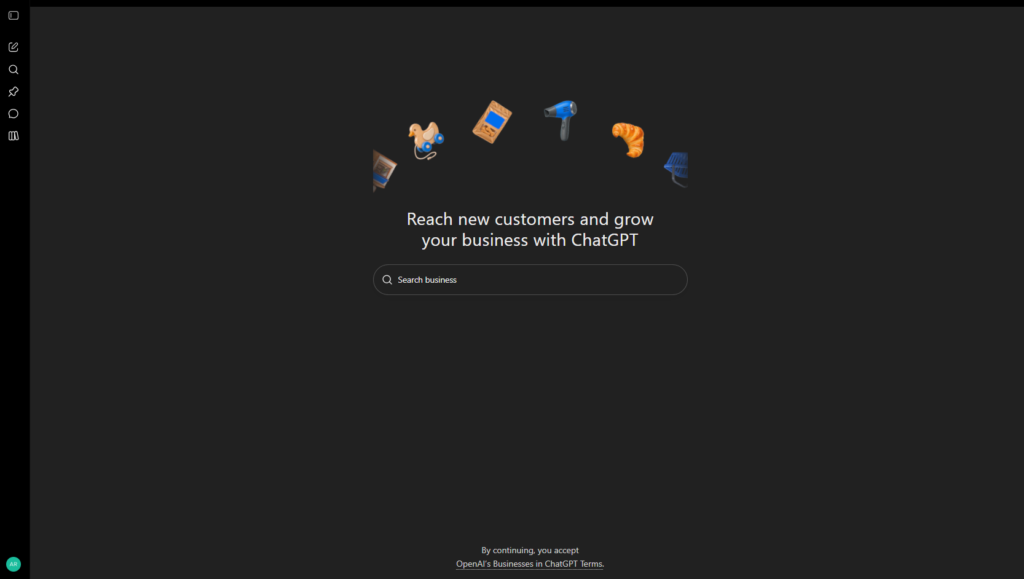
ChatGPT Business Hub starts with a search box and a terms notice
You’ll find Business Hub at https://chatgpt.com/business-hub, or in the ChatGPT sidebar. It works even with a free ChatGPT account. The page is about as minimal as it gets: a headline about reaching new customers, a single search box, and a small line at the bottom.
That small line matters. It says that by continuing, you accept OpenAI’s Businesses in ChatGPT Terms. Read them before you type your business name, especially if you’re claiming on behalf of a client.
From the search box, you look up your business by name. If it exists, you select it and start the claim. If you run an online business that ChatGPT doesn’t know about yet, you can add it using your website instead.
Amit Tiwari noticed one quirk in his test: search results are tied to your country. When his VPN put him in the US, he only saw US listings, and his own test business in Delhi didn’t show up until he switched back. Agencies managing clients in other countries should keep that in mind.
Verifying your business takes one of four routes, then an ID check
OpenAI gives you four ways to prove you’re connected to the business: your business phone (by text or automated call), your business email, a DNS TXT record on your website’s domain, or your Shopify store. Business Hub only shows the methods available for your listing.
The DNS route is the most interesting for website owners. ChatGPT gives you a TXT record to add in your domain’s DNS settings, then you come back and click Verify domain. In Tiwari’s walkthrough, the record was only valid for about 30 minutes. If you’re an agency, line up access to your client’s DNS or hosting account before you start, not after.
He also found that the SMS code never arrived during his test, but the automated phone call worked right away. If texts don’t come through, try the call.
After OpenAI approves your claim, you’re not done. You need to pass an identity check through Persona, which can ask for a government ID, business registration details, and proof you’re authorized to represent the business. Only then can you publish changes, see insights, or build an agent. The blue verified checkmark also comes from this step, not from the claim itself.
Before starting a DNS claim for a client, ask them for temporary access to their DNS or hosting panel, or have them on a call. That 30-minute window goes fast when you’re waiting on someone else’s login.
Yes, ChatGPT Business Hub shows mentions and clicks
This is the part SEOs will care about most. Once you’re verified, the Insights tab shows activity from the past 28 days: mentions, profile views, website clicks, and discovery topics.
The definitions are stricter than you might expect. For an online business, a mention only counts when ChatGPT references your website. OpenAI’s setup guide says it plainly: “The brand name alone doesn’t count.” For a local business, a mention counts when ChatGPT shows a result for that location.
Website clicks show how often people click through to your site from ChatGPT. As Search Engine Roundtable spotted, the tooltip comes with an honest caveat: “Clicks don’t confirm website visits or conversions.” So keep checking your own analytics too.
Discovery topics are the hidden gem. They show the common themes in ChatGPT answers that mentioned or cited your business. If ChatGPT keeps showing your site for topics that have nothing to do with what you sell, this is where you’ll find out. For anyone working on ai search visibility, that’s the closest thing to Search Console data OpenAI has ever shared.
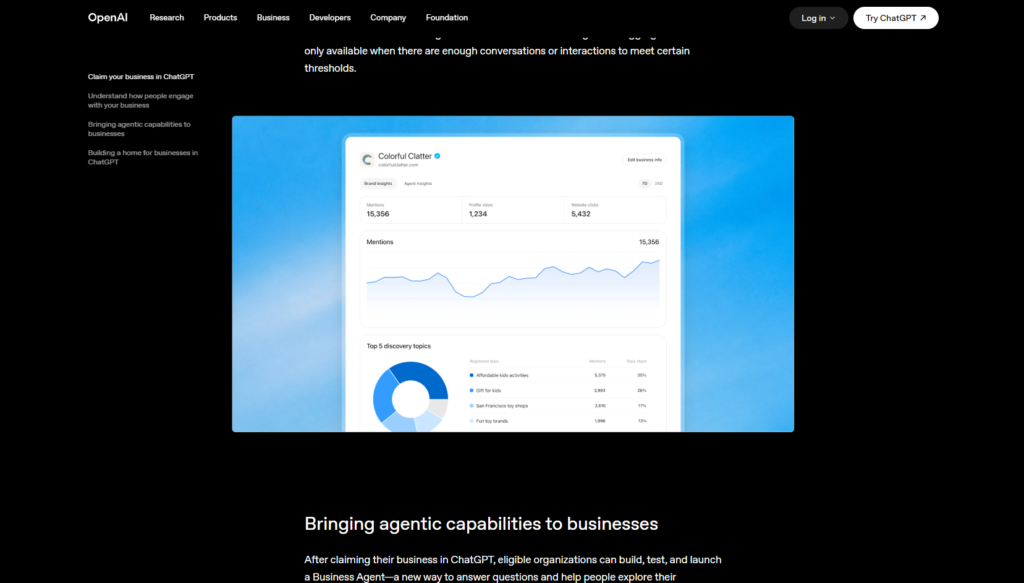
There are limits. You won’t see individual prompts or conversations, and insights only appear once there’s enough activity to meet a privacy threshold. A blank metric doesn’t necessarily mean zero activity. It can just mean the numbers haven’t crossed that threshold yet.
Business Agents are US-only, and they double as an ad destination
The second half of the launch is Business Agents. After you’re verified, eligible businesses can build an AI agent that answers customer questions inside ChatGPT, using the product details and policies you provide.
When your business appears in a ChatGPT answer, people can open your profile and choose to chat with your agent. That conversation is labeled and kept separate from ChatGPT’s own answers. Agents can explain products and policies and link to your site, but they can’t complete purchases, take bookings, or check orders yet.
For now, agents are limited to eligible ecommerce and online service businesses in the US with a website, and OpenAI checks your category against its Business Agents Policy. Businesses can also sponsor their agent as the landing spot for ChatGPT Ads. In Tiwari’s test, Business Hub also offered $500 in advertising credit once his profile was created, though he noted it was presented as a clear, optional choice.
Outside the US, many profiles get stuck as drafts
Here’s the catch most launch coverage missed. OpenAI says any eligible business located where ChatGPT is available can claim a profile. In practice, it’s not that simple yet.
OpenAI’s own guide notes that local stores and restaurants can currently claim only an existing US listing. In Tiwari’s test, trying to claim a physical listing in India sent him to a waitlist, and so did a Canadian listing. The website route did let him create a profile for an online business, but it only saved as a draft.
The blocker came at the identity step. Linking his identity to the business asked for an Employer Identification Number and a business address, and both were locked to the US. So a non-US online business can set up a draft profile today but can’t publish it yet. His advice was to finish the draft anyway, so the profile can go live the moment OpenAI opens up your country.
He also hit a few beta rough edges. Even with his category set to advertising agency, Business Hub asked about delivery and return policies, which mostly make sense for online stores.
If you’re outside the US, set up your profile as a draft now and join the waitlist for physical listings. You’ll be ready to publish the day support arrives, ahead of competitors who wait.
Claiming your profile won’t buy you rankings
If you’re wondering how to get your business on ChatGPT, Business Hub is now the official route. Just know what it does and doesn’t do. OpenAI is clear that claiming your profile doesn’t guarantee more recommendations, and advertising doesn’t influence ChatGPT’s independent answers. Claiming gives you control over your information and a look at the data. It doesn’t buy you rankings.
Think of it as sitting somewhere between a google business profile and Search Console. You manage your listing like the first, and you get visibility data like the second. For anyone doing chatgpt seo, that combination is new.
A few practical details are worth knowing. The admin who claims a business can add teammates and give an agency access, each using their own ChatGPT account. Each brand is managed separately, and claiming a main brand doesn’t claim its locations. Only unpublished draft profiles can be deleted. Once a profile is published, OpenAI Support won’t unpublish or hide it as part of a setup or ownership request.
There’s also a dispute process if someone has already claimed your business. Barry Schwartz admitted he’s nervous about people hijacking business listings, and he’s not the only one. If yours gets claimed by someone else, open the profile, use the menu to dispute ownership, and verify through Persona.
Claim your business even if you’re not ready to build an agent or run ads. Those are separate, optional steps. The insights alone are worth it, and claiming early helps stop someone else from claiming you first.
The data is still thin this early. Barry Schwartz saw no numbers right after verifying his own site, though a few early users were already sharing theirs. But this is the first time OpenAI has given businesses a real window into how ChatGPT talks about them. That alone makes Business Hub worth setting up this week.
Frequently asked questions
Yes. Business Hub is free, and so is claiming and managing your business profile. You don't need an Ads account or a ChatGPT Enterprise plan. Running ChatGPT Ads is separate and optional.
Open Business Hub, search for your business, and choose one of the verification methods offered: business phone, business email, a DNS TXT record, or Shopify. After OpenAI approves your claim, complete the Persona identity check to publish changes, view insights, and get the blue checkmark.
Partly. Business Hub is open where ChatGPT is available, but local stores and restaurants can currently claim only existing US listings. Early tests from outside the US show online businesses can create a draft profile, but publishing may require US business details for now.
For an online business, a mention counts when ChatGPT references your website. Your brand name alone doesn't count. For a local business, a mention counts when ChatGPT shows a result for that location.
No. OpenAI says claiming lets you manage your business information but doesn't guarantee more visibility or give you control over ChatGPT's independent answers. Advertising doesn't influence those answers either.
Related posts

How to compare two AI tools for one job
To compare two AI tools honestly, you must evaluate them against one specific operational job. When an option bills against an API meter, you must.
Read more
7 Things to Consider Before Building an AI Agent for Your Business
Building an AI agent for your business? Learn what to automate, which tools to connect, and what to check before you launch your first one.
Read more
How Good Is Gemini 4 Carbon? Benchmarks, Access, and Real Cost
Gemini 4 Carbon ranks fourth of 80 models in independent tests, but it is slow, wordy, and its API price doubles on December 1. See why.
Read more